Last updated on
关于 yyyy 和 YYYY
最近有个图广为流传
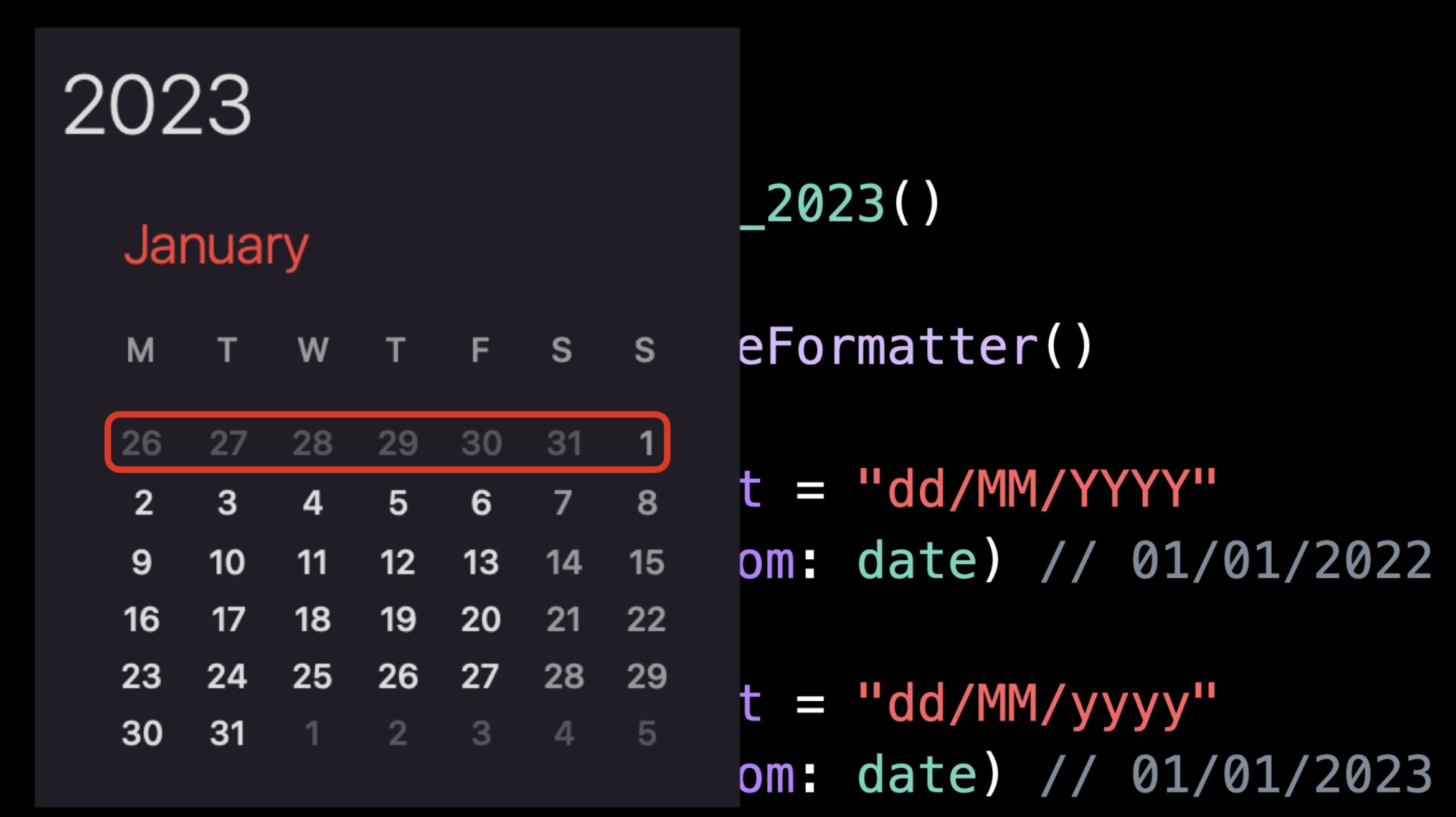
这个问题本质上是两种对年的定义的差异导致的
YYYYis “week-based-year”yyyyis “year-of-era”
yyyy 是比较符合直觉的,在公历上这天在哪一年就是哪一年,如 2023-01-01 -> 2023
但 YYYY 的比较容易混乱,原因在于这天在哪一年是由这天所在周的所在年决定的
- week 可能跨年
- 不同国家对于 week 的起始天判断不一样
The ISO-8601 definition, where a week starts on Monday and the first week has a minimum of 4 days. The ISO-8601 standard defines a calendar system based on weeks.
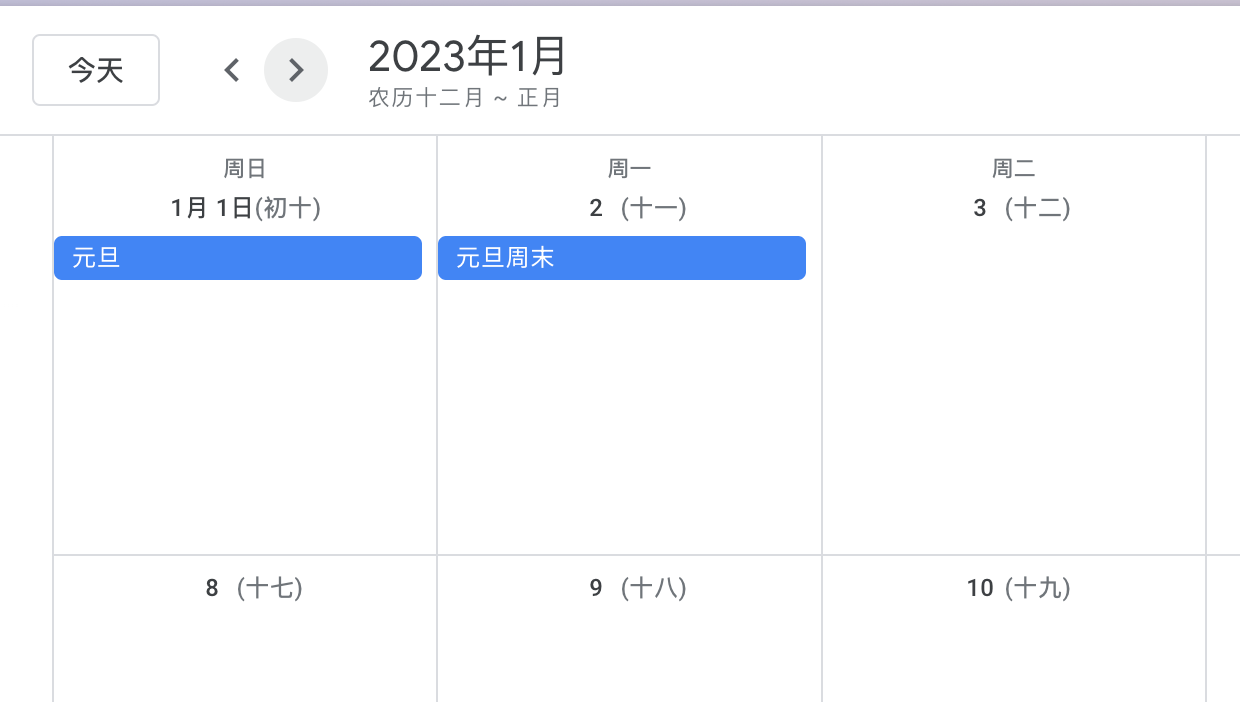
看代码
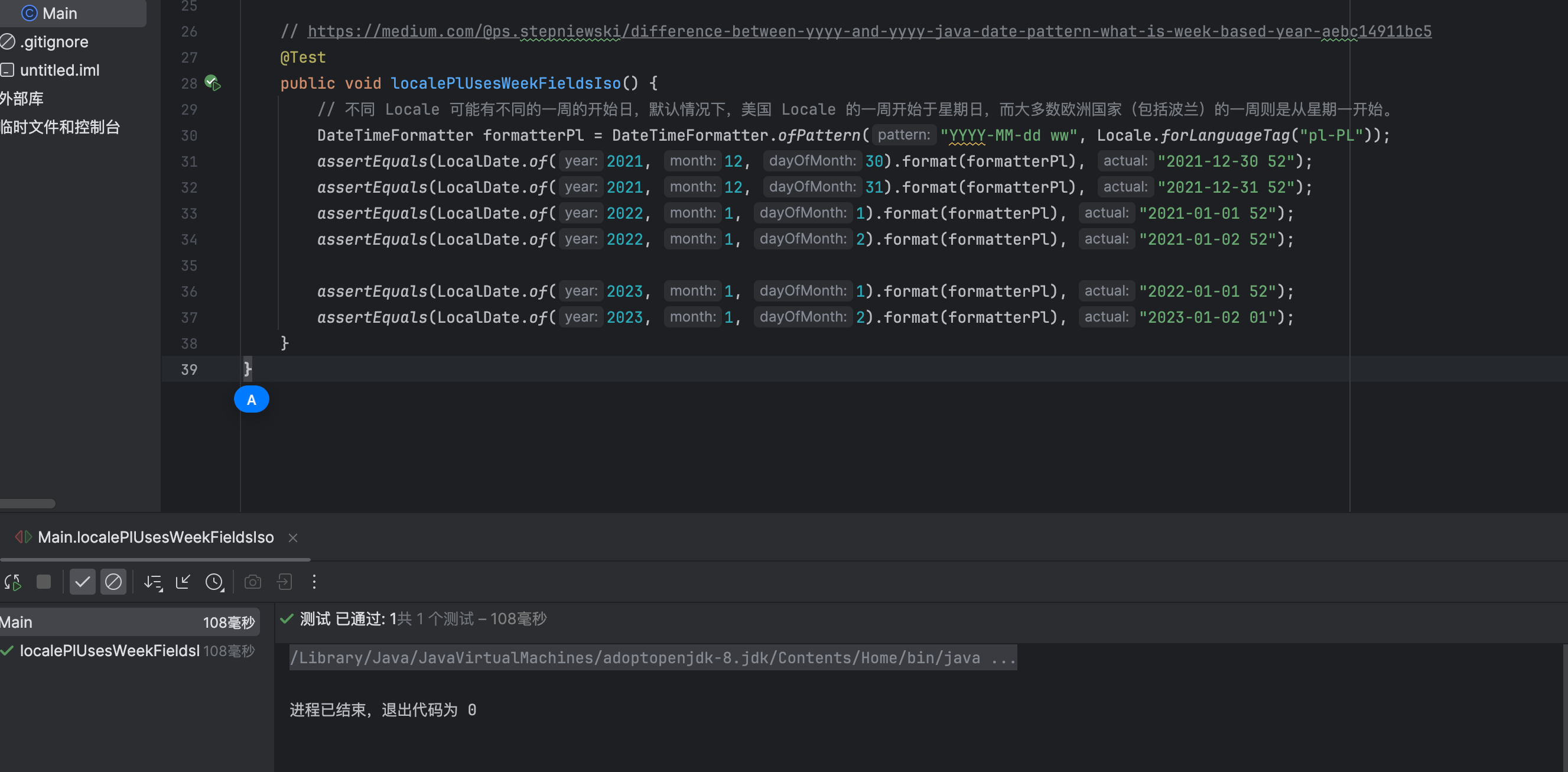
    // https://medium.com/@ps.stepniewski/difference-between-yyyy-and-yyyy-java-date-pattern-what-is-week-based-year-aebc14911bc5
    @Test
    public void localePlUsesWeekFieldsIso() {
        // 不同 Locale 可能有不同的一周的开始日,默认情况下,美国 Locale 的一周开始于星期日,而大多数欧洲国家(包括波兰)的一周则是从星期一开始。
        DateTimeFormatter formatterPl = DateTimeFormatter.ofPattern("YYYY-MM-dd ww", Locale.forLanguageTag("pl-PL"));
        assertEquals(LocalDate.of(2021, 12, 30).format(formatterPl), "2021-12-30 52");
        assertEquals(LocalDate.of(2021, 12, 31).format(formatterPl), "2021-12-31 52");
        assertEquals(LocalDate.of(2022, 1, 1).format(formatterPl), "2021-01-01 52");
        assertEquals(LocalDate.of(2022, 1, 2).format(formatterPl), "2021-01-02 52");

        assertEquals(LocalDate.of(2023, 1, 1).format(formatterPl), "2022-01-01 52");
        assertEquals(LocalDate.of(2023, 1, 2).format(formatterPl), "2023-01-02 01");
    }
在前端的场景里,JavaScirpt 自身没处理 week-based-year,需要加点操作,如使用 dayjs
https://day.js.org/docs/en/plugin/advanced-format
| Format | Output | Description |
|---|---|---|
GGGG | 2017 | ISO Week Year ( dependent IsoWeek plugin ) |
const time = "2023-01-01"
const yyyy = dayjs(time).format("DD/MM/yyyy")
const GGGG = dayjs(time).format("DD/MM/GGGG")
const YYYY = dayjs(time).format("DD/MM/YYYY")

console.log({
   yyyy, GGGG, YYYY
})
{
"yyyy": "01/01/yyyy",
"YYYY": "01/01/2023",
"GGGG": "01/01/2022"
}