元素的宽高
这个回答已经很全面
scrollHeight = Entire content 「包含内容总长度,不仅是被看到的部分,还包含可滚动的部分」 + padding
The
Element.scrollHeightread-only property is a measurement of the height of an element’s content, including content not visible on the screen due to overflow. 「注意需要 display 不是 inline」
clientHeight = Visible content +padding offsetHeight = Visible content + padding + border +scrollbar
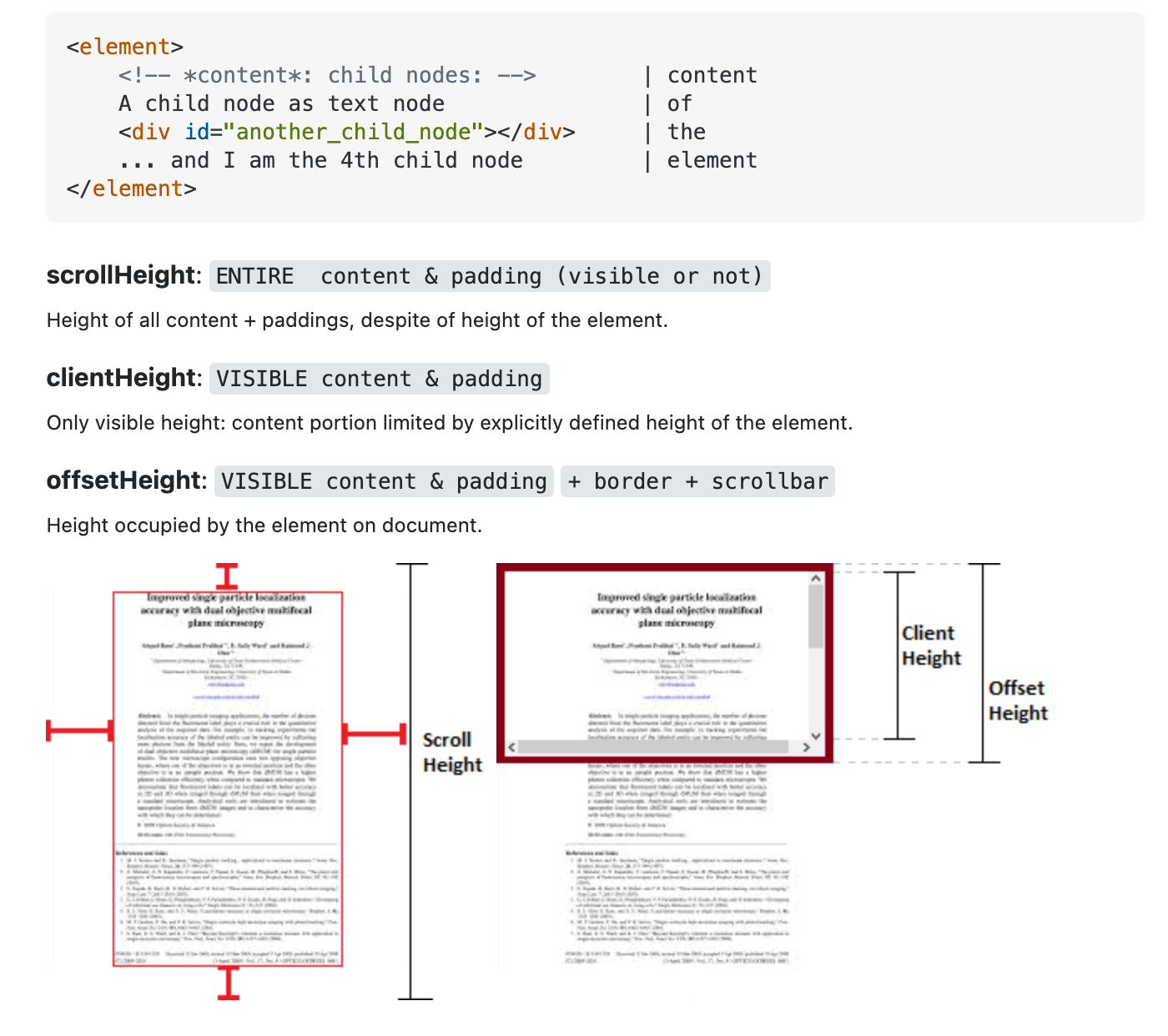
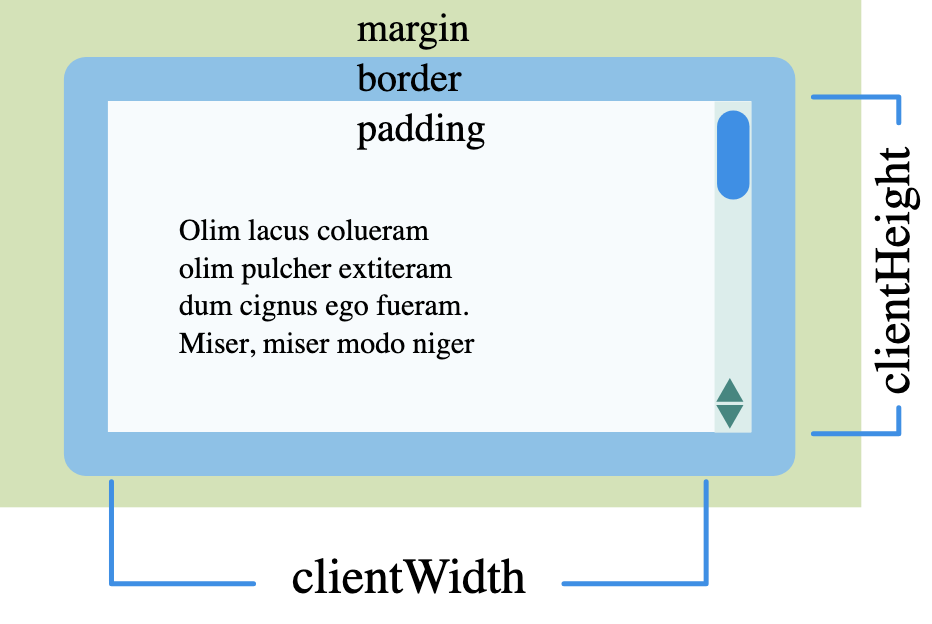
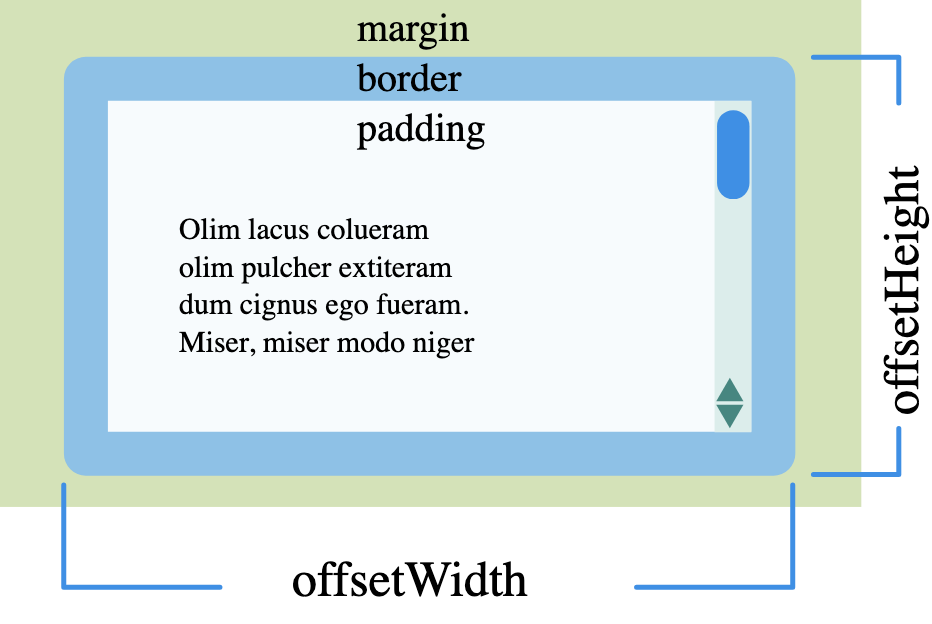
举个具体的例子: https://codepen.io/sedationh/pen/RwQEbWQ
注意用的是 border-box clientHeight = 140 = 180 - border * 2 offsetHeight = 180「设置的 height」 scrollHeight = 460
getBoundingClientRect() 获取的是更精确的 offsetHeight
The width and height properties of the DOMRect object returned by the method include the padding and border-width, not only the content width/height. In the standard box model, this would be equal to the width or height property of the element + padding + border-width. But if box-sizing: border-box is set for the element this would be directly equal to its width or height.
不过 getBoundingClientRect 和 offsetHeight 也是有区别的
Most of the time these are the same as width and height of getBoundingClientRect(), when there aren’t any transforms applied to the element. In case of transforms, the offsetWidth and offsetHeight returns the element’s layout width and height, while getBoundingClientRect() returns the rendering width and height. As an example, if the element has width: 100px; and transform: scale(0.5); the getBoundingClientRect() will return 50 as the width, while offsetWidth will return 100.
从机制上说,经过 transform scale 后盒子模型是没变的,offsetHeight 返回的是盒子模型的数值,getBoundingClientRect 返回的是展示出来的值。