CSS 之 color-scheme
看 neatcss 的时候,看到一个没见过的 CSS
:root {
    color-scheme: light dark;
    --light: #fff;
    --lesslight: #efefef;
    --dark: #404040;
    --moredark: #000;
    --link: royalblue;
    border-top: 5px solid var(--dark);
    line-height: 1.5em;
    font-family: system-ui, sans-serif;
    font-size: 16px;
    color: var(--dark);
}
Note
The color-scheme CSS property allows an element to indicate which color schemes it can comfortably be rendered in.
Note
Styling based on color schemes
To style elements based on color scheme preferences, use the prefers-color-scheme media query. The example below opts in the entire page to using both light and dark operating system color schemes via the color-scheme property, and then uses prefers-color-scheme to specify the desired foreground and background colors for individual elements in those color schemes.
:root {
  color-scheme: light dark;
}

@media (prefers-color-scheme: light) {
  .element {
    color: black;
    background-color: white;
  }
}

@media (prefers-color-scheme: dark) {
  .element {
    color: white;
    background-color: black;
  }
}
这里写的是有点误导的,使用 @media (prefers-color-scheme: light) 和 @media (prefers-color-scheme: dark) 并不依赖 color-scheme: light dark; 这个的声明
注释掉 color-scheme: light dark; prefers-color-scheme 的媒体查询依然可以工作
像使用了 light-dark() 能力的会依赖 color-scheme
比如 chrome 默认插入的样式 user agent stylesheet
textarea {
    /* ... */
    border-color: light-dark(rgb(118, 118, 118), rgb(133, 133, 133));
    border-image: initial;
    padding: 2px;
    white-space: pre-wrap;
}
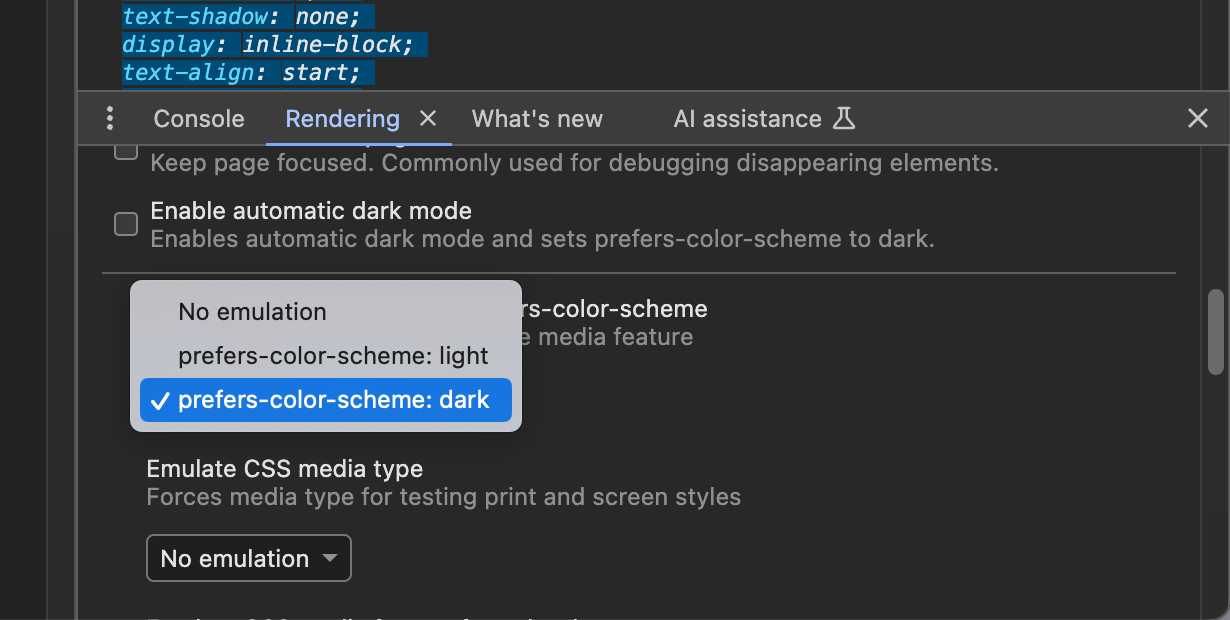
如何测试?
- 在开发者工具中,点击右上角的“三个点”菜单,然后选择“更多工具” > “渲染”(Rendering)。
- 在“渲染”面板中,找到“强制颜色模式”(Emulate CSS prefers-color-scheme)选项,并选择“light”(浅色)或“dark”(深色)。